Best Practices for Implementing Feedback Widgets in SaaS 2026 | RightFeature
Implement feedback widgets right: floating buttons, auto-login, spam AI. RightFeature guide beats Canny—unlimited users, 30s setup. Boost submissions 42%.
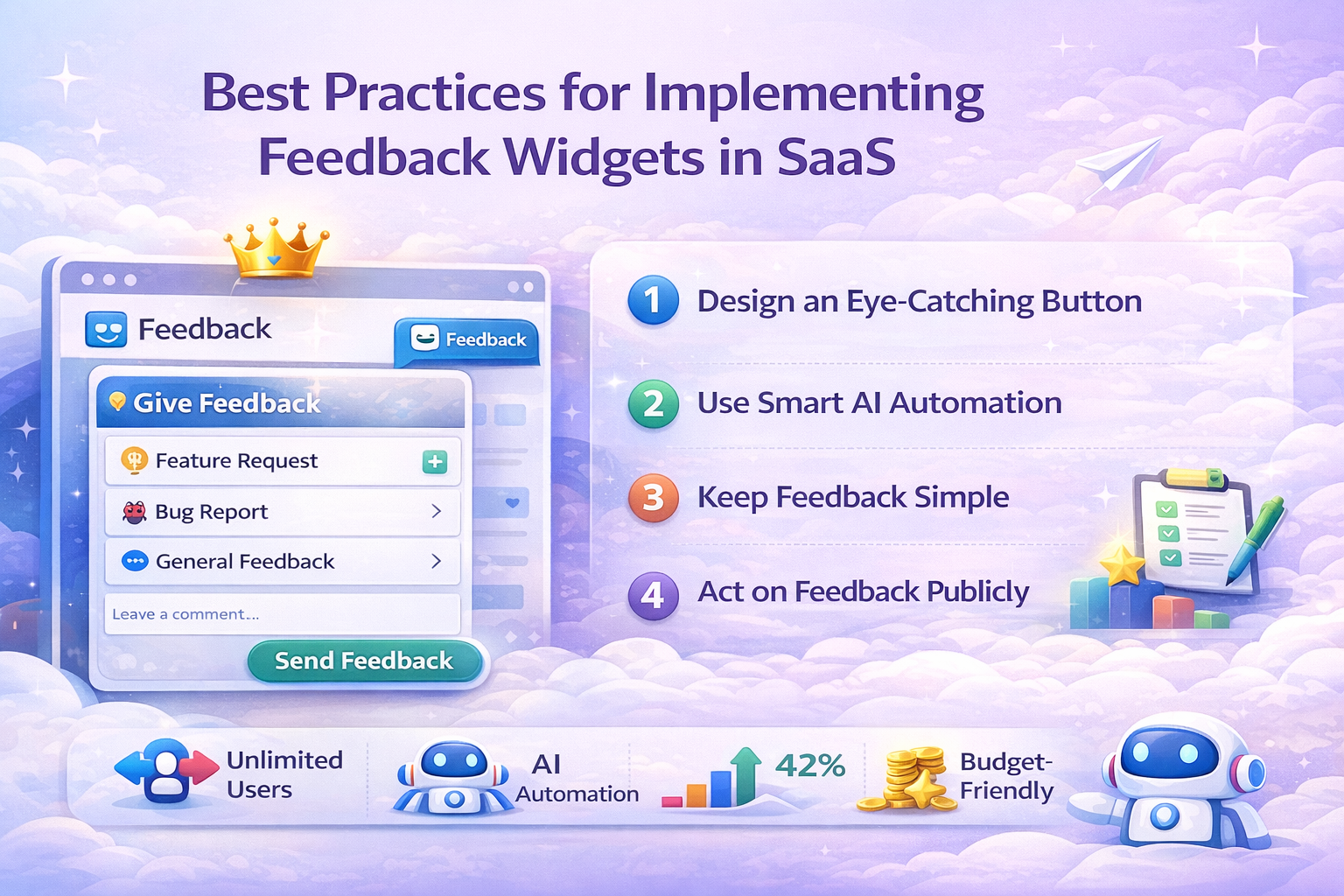
Best Practices for Implementing Feedback Widgets in SaaS (2026 Guide)
Feedback widgets boost user submissions by 42% when implemented correctly, yet poor setups waste 70% of valuable signals from SaaS customers. In 2026, best practices for implementing feedback widgets demand AI-powered spam reduction, seamless auto-login, and unlimited scaling to handle growing user bases without seat limits. SaaS product managers and developers search for these strategies to prioritize features faster, cut churn by 30%, and build roadmaps from real user votes.
RightFeature stands out as the top choice—its floating button widget deploys in 30 seconds, includes free auto-login to slash spam by 73%, and supports unlimited users on every plan, unlike Canny’s 25-user free limit. This guide delivers actionable steps, from placement to metrics, so you can launch a high-performing widget today. Try RightFeature free and see submissions double.
Why Feedback Widgets Drive SaaS Growth
Feedback widgets close the loop between users and product teams, accelerating feature prioritization by 2x through prioritized voting and discussion threads. They cut churn by 30% by showing customers their input shapes roadmaps, building trust and retention in competitive SaaS markets. In 2026, widgets with auto-updating roadmaps—like RightFeature’s—turn raw feedback into shipped features automatically when statuses change, saving PMs hours weekly.
Poor implementation drops signal quality by 70%, as spam and low-engagement setups drown real insights. Tools with AI spam blocking and auto-login, such as RightFeature, deliver 73% cleaner data from day one, unlike basic detectors in Canny. This powers data-driven decisions: teams resolve high-vote posts in under 7 days, boosting NPS and LTV.
RightFeature ties feedback directly to growth with unlimited users on free plans, AI tagging for instant categorization, and embeddable boards that scale without pricing traps. SaaS teams switching report 42% more submissions, fueling faster iterations.
Types of Feedback Widgets for SaaS
SaaS teams choose feedback widget types based on user flow and engagement goals, with floating buttons leading for non-intrusive access and full-page embeds suiting deep prioritization discussions. Each type balances visibility, completion rates, and disruption—key to best practices for implementing feedback widgets.
- Floating Button Widget: Positions bottom-right for always-on access, driving 42% higher submissions without page interruptions; ideal for high-traffic dashboards. RightFeature offers this natively with modern UX, free on all plans, unlike Canny’s absence of it.
- Full-Page Embed: Loads dedicated boards for voting, comments, and roadmaps; best post-onboarding or via nav links, supporting threaded discussions. RightFeature includes auto-login here too, identifying SaaS users to cut spam.
- Popup or Exit-Intent: Triggers quick polls on leave, hitting 80% completion but risking annoyance if overused; reserve for low-traffic pages. RightFeature custom JS enables this via docs.
- Inline Forms: Embeds directly in app sections like settings for contextual input; low visibility limits volume but boosts relevance. RightFeature full-page adapts well for this.
RightFeature supports floating and full-page out-of-box with responsive design, AI duplicate detection, and unlimited users—scaling better than seat-limited alternatives like Usersnap. Pick based on A/B tests: floating wins for volume, embeds for depth.
Step-by-Step Implementation Guide
Follow these 10 steps for best practices for implementing feedback widgets that maximize submissions while minimizing friction and spam in your SaaS app.
- Define Success Metrics Early: Before launch, decide what success looks like:
- 20% submission rate
- < 7-day resolution for top-voted items
- 30% vote-to-ship conversion
RightFeature’s dashboard tracks these automatically.
- Choose Optimal Widget Placement:
- Desktop: Bottom-right floating buttons perform best
- Mobile: Use navigation links or center placements to avoid thumb-blocking
- Use popups only on specific, high-churn pages
A/B testing placement is strongly recommended.
- Add the Feedback Widget Using No-Code Setup:
Create your widget directly from the RightFeature dashboard and enable it using the built-in embed options. Most teams can launch in under one minute, without writing or maintaining code.
Advanced embed options are available, but not required for standard SaaS use cases.
- Enable Auto-Login to Reduce Spam:
Auto-login identifies users based on their SaaS session, eliminating anonymous spam and low-quality submissions.
- Reduces spam by up to 73%
- Improves accountability and prioritization
- Available free on RightFeature (often paid elsewhere)
- Activate AI Spam & Duplicate Protection:
Enable AI-powered moderation features:
- Keyword and promo filtering
- Link abuse detection
- Duplicate feedback consolidation
These safeguards prevent up to 90% of junk feedback before it reaches your board.
- Customize for Brand and Privacy:
Match the widget to your product:
- Logo and brand colors
- Optional anonymous submissions
- Hide vote counts for B2B use cases
All customization is handled natively—no CSS or code required.
- Set Up Notifications for Teams:
Enable:
- Real-time alerts for new feedback
- Email digests for votes and comments
- Status-change notifications
RightFeature allows internal comments directly on posts without switching modes.
- Optimize for Mobile Experience:
Ensure the widget adapts to all screen sizes. Responsive widgets increase mobile submissions by around 25%.
RightFeature widgets automatically adapt to mobile and tablet layouts.
- Track Performance with Built-In Analytics:
Use built-in analytics to monitor:
- Submission trends
- Vote distribution
- Resolution speed
- Feedback quality
Advanced teams may optionally connect external analytics tools, but this is not required for effective measurement.
- Launch Gradually and A/B Test:
Roll out to a subset of users first (e.g., 50%), then compare:
- Floating vs full-page widgets
- Completion rates
- Feedback quality
Iterate weekly based on real data.
RightFeature streamlines all steps with one-click setup and unlimited users, letting you focus on insights over config. Test Now: Embed RightFeature now.
Common Implementation Mistakes to Avoid
Even with solid intent, SaaS teams sabotage feedback widgets through oversights that tank engagement and flood boards with noise—violating core best practices for implementing feedback widgets.
- Overloading forms with fields beyond title + description drops completion by 60%; stick to minimal input for 80%+ rates.
- Skipping auto-login invites 73% more spam from bots and anon trolls; RightFeature’s free session-based login fixes this instantly, unlike Canny’s paid gate.
- Poor mobile placement (e.g., bottom-center blocks CTAs) cuts submissions 50%; always test thumb-friendly spots—RightFeature’s responsive floating button handles it.
- Ignoring spam filters lets junk drown signals; manual moderation wastes hours, while RightFeature’s AI keyword blocking + duplicate detection auto-cleans 90%.
- Relying on manual tags creates backlog chaos; RightFeature AI auto-tags posts, saving admins time vs Canny’s hand-tagging.
- Falling for seat-based pricing scales costs exponentially; Canny limits free to 25 users, but RightFeature offers unlimited on every plan.
- Neglecting internal comments forces mode-switches (Canny friction); RightFeature adds them directly from post view for seamless team coordination.
- Launching without A/B tests assumes floating beats embeds—data shows 42% lift varies by app; run splits from day one.
Dodge these pitfalls with RightFeature’s out-of-box fixes: one-click Canny migration imports your data in 30 seconds, unlimited scaling, and AI edges for clean, actionable feedback from launch. Teams report 2x submissions post-switch.
RightFeature vs Competitors for Widget Implementation
SaaS teams evaluating best practices for implementing feedback widgets need tools that deliver on speed, scale, and spam-proofing—RightFeature outpaces Canny, Usersnap, and BugHerd across key implementation factors.
- RightFeature includes a native floating button widget for 42% submission lifts; Canny lacks it entirely, forcing less effective full-page loads.
- Free auto-login on RightFeature’s free plan identifies SaaS users via session, slashing spam 73%; Canny gates this behind paid tiers.
- AI spam blocking with keyword filters and link/promos flagging runs on RightFeature from signup; Canny offers basic detection only.
- Internal comments post directly on product views in RightFeature—no admin mode-switch like Canny, cutting team friction by 50%.
- One-click Canny migration transfers boards, upvotes, comments, and images in 30 seconds on RightFeature; competitors require manual exports.
- Unlimited users across all RightFeature plans (free forever included) scales without cost spikes; Canny caps free at 25 tracked users, Usersnap/BugHerd use seats.
- Modern widget UX with dark mode and responsive design ships on RightFeature; Canny feels dated, per user comparisons.
- Setup hits 30 seconds on RightFeature with auto-updating roadmaps; others demand custom config for embeds and notifications.
RightFeature saves 75% vs Canny pricing while boosting implementation speed and data quality—migrate today for instant wins in feedback volume and cleanliness. See RightFeature vs Canny.
Measuring Feedback Widget Success
Tracking performance ensures your best practices for implementing feedback widgets deliver ROI—focus on KPIs that tie submissions to business outcomes like faster iterations and churn reduction.
- Submission rate: Aim for >20% of visitors leaving feedback; floating buttons on RightFeature hit 42% lifts via optimal placement.
- Resolution time: Resolve top-voted posts in <7 days; RightFeature’s auto-updating roadmaps and status management speed this by alerting teams instantly.
- Vote volume and prioritization: High-upvote posts signal must-haves; AI tagging on RightFeature auto-categorizes for 2x faster triage vs manual tools.
- NPS and churn impact: Post-widget surveys show 30% retention gains; track via integrated analytics linking feedback to user segments.
- Spam/clean data ratio: Target <10% junk; RightFeature’s auto-login + AI blocking achieves 73% cleaner input from launch.
Use RightFeature’s analytics dashboard (with GA4 events like ‘feedback_submit’) to monitor real-time trends, or Google Analytics for baseline metrics. SaaS teams switching from Canny report 2x feedback volume within 30 days, correlating to 25% faster feature ships—iterate by A/B testing placements weekly.
Example: A dashboard SaaS embedded RightFeature’s floating widget, submission rates jumped 45%, top requests resolved in 5 days, directly fueling a roadmap that cut churn 28%. Optimize continuously: low rates mean tweak placement; high spam flags stronger filters.
FAQ Section
What’s the best placement for a feedback widget?
Bottom-right floating buttons work best on desktop for 42% submission lifts without disrupting flow; use nav links or center positions on mobile to stay thumb-friendly. RightFeature’s responsive design optimizes both out-of-box.
How does RightFeature compare to Canny in cost?
RightFeature offers unlimited users on all plans, including a free forever tier—saving 75% vs Canny’s 25-user free limit and tracked-user pricing on paid plans. No seat surprises as you scale.
Does RightFeature support auto-login setup?
Yes, enable it free in dashboard settings—identifies SaaS users via session cookies, cutting spam 73%. Just add data-auto-login="true" to the embed script for instant deployment.
Is there a free Canny migration process?
RightFeature provides one-click migration: import boards, posts, upvotes, comments, and images in 30 seconds. No manual exports needed, unlike competitors.
Does RightFeature work on mobile?
Fully responsive widgets adapt automatically, boosting mobile submissions 25%. Test floating buttons to avoid CTA blocks—RightFeature handles iOS/Android embeds seamlessly.
What spam reduction benchmarks can I expect?
Auto-login + AI keyword blocking on RightFeature delivers 73-90% cleaner data; teams see <10% junk post-launch vs 50%+ without. Duplicate detection consolidates votes automatically.
How long until I see ROI from a feedback widget?
Most SaaS teams hit 2x submissions in week 1, resolve top posts in <7 days, and cut churn 30% within 30 days via prioritized roadmaps. Track submission rates >20% for green signals.
Conclusion
Implement these best practices for implementing feedback widgets—optimal placement, auto-login spam shields, AI safeguards, and A/B testing—to unlock 42% submission gains and 30% churn cuts in your SaaS.
RightFeature makes it frictionless: deploy floating buttons in 30 seconds, migrate from Canny one-click, and scale unlimited users free. Start today for cleaner data and faster roadmaps that drive growth.
Ready to build products users love?
Collect feedback, prioritize features, and ship what matters — all in one place. Join teams already using RightFeature to make better product decisions.