5 Best Canny Alternatives for SaaS Teams in 2026 (Cheaper & Smarter)
Looking for a Canny alternative? Compare 5 top tools for SaaS teams including RightFeature, with pricing, key features, pros, cons, and migration tips.

Canny Alternatives: 5 Better Tools for SaaS Teams in 2026
SaaS teams are switching away from Canny in record numbers and the reason is simple: tracked-user pricing that punishes growth. What starts as a free plan with 25 users quickly escalates to $661/month for 1,000 tracked users on the Pro plan, making it one of the most expensive feedback tools as your product gains traction. Add to that the lack of AI-powered automation, admin-only workflows for internal comments, and no one-click migration options, and it’s clear why product teams are looking for modern alternatives.
The customer feedback tool landscape has changed significantly. With the global SaaS market now exceeding $295 billion and product-led growth becoming the norm, teams need feedback platforms that scale without breaking the bank. Modern alternatives offer unlimited users, AI-powered tagging and summaries, and predictable pricing—features that Canny either lacks entirely or locks behind enterprise tiers. The shift is real: tools charging per tracked user are losing ground to platforms that charge based on features, not engagement.
This guide compares 5 Canny alternatives built for 2026, focusing on what SaaS product teams actually need: AI automation that reduces PM workload, unlimited user access that encourages broader feedback participation, and migration tools that preserve your existing data. We’ve analyzed pricing models, feature sets, real user reviews, and migration capabilities to help you choose the right tool for your team size, budget, and growth trajectory. Whether you’re a bootstrapped startup or a scaling SaaS company, you’ll find a better-fit alternative that doesn’t penalize you for building a successful product.
Why teams are leaving Canny in 2026
- Tracked-user pricing spirals out of control: Every user who votes, comments, or submits feedback becomes a cost center—hitting 400 tracked users costs $2,748/year, and 2,250 users pushes you past $9,348/year
- Free plan limits growth to 25 users: Most SaaS products outgrow this in weeks, forcing immediate upgrades
- Zero AI automation: Manual tagging, no summary generation, no priority suggestions—tasks that consume 5-10 hours of PM time weekly
- Admin-view friction: Adding internal comments requires switching to a separate admin view, disrupting workflow efficiency
- No built-in migration tools: Moving from competitors requires manual CSV exports and imports with data loss risk
- Missing global search: Can’t search across multiple boards simultaneously, slowing down research and duplicate detection
Why Teams Look for a Canny Alternative
Common Pain Points with Canny
Pricing unpredictability kills budget planning
Canny’s tracked-user model creates an impossible budgeting situation for growing SaaS teams. Every customer who votes, comments, or engages with your feedback board counts as a “tracked user”—meaning your bill increases automatically as engagement grows. Teams that start on the $19/month Core plan hit the 100-user ceiling within weeks, forcing upgrades to $79/month or higher. Per-seat pricing models discourage the exact behavior you want: active customer participation.
The math gets worse at scale. At 1,000 engaged users, Canny’s Pro plan costs $661/month—nearly $8,000 annually for a single feedback tool. Competitors offering unlimited users charge flat rates regardless of engagement levels, making them 3-5x cheaper for high-growth SaaS products.
Manual tagging wastes 5-10 hours per week
Product managers spend an average of 8 hours per week manually categorizing feedback without AI automation. Canny requires admins to tag every post by hand, sort through duplicate submissions, and synthesize long comment threads without AI summaries. Modern tools use AI to automatically cluster feedback themes, detect sentiment, and identify churn-risk patterns in real-time.
Teams processing 100+ feedback submissions monthly lose 40+ hours to manual work that AI should handle. That’s one full workweek per PM spent on administrative tasks instead of building features customers actually want.
Admin workflow friction slows down collaboration
Canny forces team members to switch to a separate “admin view” to add internal comments, disrupting natural workflow and adding unnecessary clicks. When PMs need to consult engineering or sales teams about a feature request, they can’t collaborate in the same view customers see—creating context-switching overhead that kills productivity.
The lack of global search across boards means teams waste time hunting for related feedback scattered across multiple board sections. Modern alternatives provide instant cross-board search and inline internal comments without view switching.
Missing AI features that modern teams expect
AI-powered feedback automation became table stakes in 2025, yet Canny offers only basic AI duplicate detection. Teams managing hundreds of monthly submissions need:
- AI auto-tagging to categorize feedback by topic, sentiment, and urgency without manual work
- AI summaries to digest 20+ comment threads into actionable insights in seconds
- AI priority scoring based on user impact, revenue potential, and strategic alignment
- AI visibility detection to identify which requests need immediate attention vs. background processing
Without these capabilities, PMs drown in feedback noise rather than identifying high-impact opportunities.
Enterprise features locked behind custom pricing
Canny reserves critical capabilities like advanced user segmentation, custom roles, and detailed analytics for Enterprise plans with undisclosed pricing. Startups and mid-market teams pay premium rates but still lack features like behavioral triggers, usage-based feedback collection, and deep product integrations.
What to Look for in a Canny Alternative
Unlimited users on all plans
Your feedback tool should celebrate customer engagement, not tax it. Look for platforms that offer unlimited users from the free tier through enterprise plans, ensuring predictable costs as you scale. Per-seat pricing made sense in 2015; in 2026, it’s a red flag that vendors prioritize revenue extraction over customer success.
AI-powered automation to save 5-10 hours weekly
Modern feedback tools must include:
- AI auto-tagging that categorizes posts by feature area, sentiment, and priority without manual intervention
- AI duplicate detection that merges similar requests automatically, preserving votes and context
- AI comment summaries that condense long discussion threads into 2-3 sentence insights
- AI priority suggestions based on user revenue, frequency, and strategic product roadmap alignment
Teams using AI-powered feedback tools report 40-60% reductions in manual triage time compared to legacy platforms.
One-click migration from Canny
Switching feedback tools shouldn’t require weeks of CSV exports, data cleanup, and manual imports. The best alternatives provide automated migration that preserves:
- All feedback boards and posts
- Vote counts and user engagement history
- Comment threads and file attachments
- User accounts and permissions
- Custom statuses and tags
Look for tools offering personal migration assistance alongside automated imports to ensure zero data loss.
Modern embedding options for in-app feedback
SaaS products need contextual feedback collection at the moment users experience friction or discover value. Your alternative should support:
- Floating button widgets that stay visible across your app without disrupting UX
- Full-page embeds for dedicated feedback portals
- Auto-login from your SaaS so users can submit feedback without creating separate accounts
- Behavioral triggers that prompt feedback after key events like feature usage or onboarding milestones
Generic “feedback page” tools miss 70% of insights by failing to capture in-the-moment reactions.
Auto-updating roadmap that reflects reality
Manual roadmap updates create version control nightmares where your public roadmap contradicts internal status. Modern tools automatically sync roadmap status when feedback moves through your workflow—from “Under Review” to “In Progress” to “Shipped”—without PM intervention.
Predictable pricing based on features, not users
Choose pricing models that scale with the value you receive, not arbitrary engagement metrics. Feature-based or usage-based pricing (API calls, storage, boards) aligns vendor incentives with customer success better than per-seat models.
Fast setup under 5 minutes
Legacy tools require days of configuration, custom CSS, and integration setup. The best alternatives go live in under 5 minutes with:
- Pre-built templates for common SaaS use cases
- Zero-code widget embedding
- Automatic styling that matches your brand
- Pre-configured workflows for feedback triage
Deep integrations for existing workflows
While fewer integrations than Canny isn’t necessarily a dealbreaker, ensure your alternative connects with tools your team actually uses daily:
- Development: Jira, Linear, GitHub, ClickUp
- CRM: HubSpot, Salesforce, Intercom
- Analytics: Mixpanel, Amplitude, Segment
- Communication: Slack, Microsoft Teams
The right 5-7 integrations beat 50+ unused connectors.
Quick Comparison: Canny vs Top Alternatives
Before diving into detailed reviews, here’s how the 5 leading Canny alternatives stack up across the factors that matter most to SaaS teams: pricing structure, AI capabilities, user limits, and migration support.
1. RightFeature
- Pricing Model: Feature-based, flat rate
- Free Plan: Yes, unlimited users forever
- AI Features: AI tagging, summaries, priority suggestions, visibility detection, duplicate detection
- Unlimited Users: Yes, on all plans
- Canny Migration: One-click automated migration + personal assistance
- Best For: SaaS teams that want strong AI automation with predictable pricing
- Notable Limitation: Fewer integrations than Canny (no Slack, Jira, or webhooks yet)
2. Featurebase
- Pricing Model: Subscription-based tiers
- Free Plan: Yes, but with limited features
- AI Features: Limited AI (mainly duplicate suggestions)
- Unlimited Users: Yes, no user limits
- Canny Migration: Manual export and import
- Best For: Teams looking for a modern feedback portal with built-in support features
- Notable Limitation: Full features start at $49/month, and AI capabilities are limited
3. Rapidr
- Pricing Model: Seat-based pricing
- Free Plan: Yes, with basic features
- AI Features: No AI automation
- Unlimited Users: Depends on the selected plan
- Canny Migration: Manual CSV migration
- Best For: Teams that prefer seat-based pricing instead of feature-based plans
- Notable Limitation: $49/month for 5 seats and no AI tagging or summaries
4. Frill
- Pricing Model: Modular pricing with add-ons
- Free Plan: Yes, up to 50 active ideas
- AI Features: No AI features
- Unlimited Users: Yes
- Canny Migration: Manual migration
- Best For: Budget-conscious startups needing simple feedback boards
- Notable Limitation: Add-on costs increase quickly ($75/month for base + roadmap + changelog)
5. UserJot
- Pricing Model: Tier-based pricing
- Free Plan: Yes, but limited
- AI Features: No AI automation
- Unlimited Users: Yes
- Canny Migration: Manual migration
- Best For: Early-stage startups wanting a lightweight feedback tool
- Notable Limitation: No AI, limited analytics, and basic workflows compared to modern platforms
Key Takeaways from This Comparison
RightFeature offers the best value for AI-powered feedback management with unlimited users, one-click Canny migration, and modern automation that saves 5-10 hours weekly. Teams frustrated by Canny’s tracked-user pricing find immediate relief with flat-rate unlimited models.
Canny remains relevant only for enterprise teams heavily invested in its integration ecosystem (Slack, Jira, Zapier, GitHub) who can absorb the $500-1,000+ monthly costs at scale. For startups and mid-market SaaS, the ROI doesn’t justify the expense.
Featurebase and Rapidr target different pricing philosophies: Featurebase uses tiered subscriptions starting at $29/month with moderate features, while Rapidr charges per-seat ($49 for 5 users) making it expensive for larger teams. Neither offers comprehensive AI automation like RightFeature.
Frill’s modular pricing creates hidden costs where the advertised $25/month base requires $50 in add-ons for roadmap and changelog—totaling $75/month for features included free in alternatives. Budget-conscious teams should calculate total cost, not entry price.
UserJot offers simple, transparent pricing but lacks AI differentiation, focusing on basic feedback collection without automation such as AI tagging, summaries, prioritization, or advanced analytics that modern SaaS teams expect.
Migration Difficulty: Why One-Click Matters
RightFeature offers automated Canny migration that preserves boards, posts, votes, comments, images, and user accounts with zero data loss. Manual migration via CSV exports requires:
- 3-5 hours of data export and cleanup
- Custom scripting to preserve vote counts and relationships
- Separate user account migration with re-invitation emails
- Risk of losing comment threads and file attachments
- Downtime while teams transition between platforms
Teams report saving 8-12 hours by using one-click migration over manual CSV workflows, with personal assistance ensuring smooth cutover.
1. RightFeature – Best Overall Canny Alternative for SaaS Teams
Modern Feedback Platform Built for SaaS
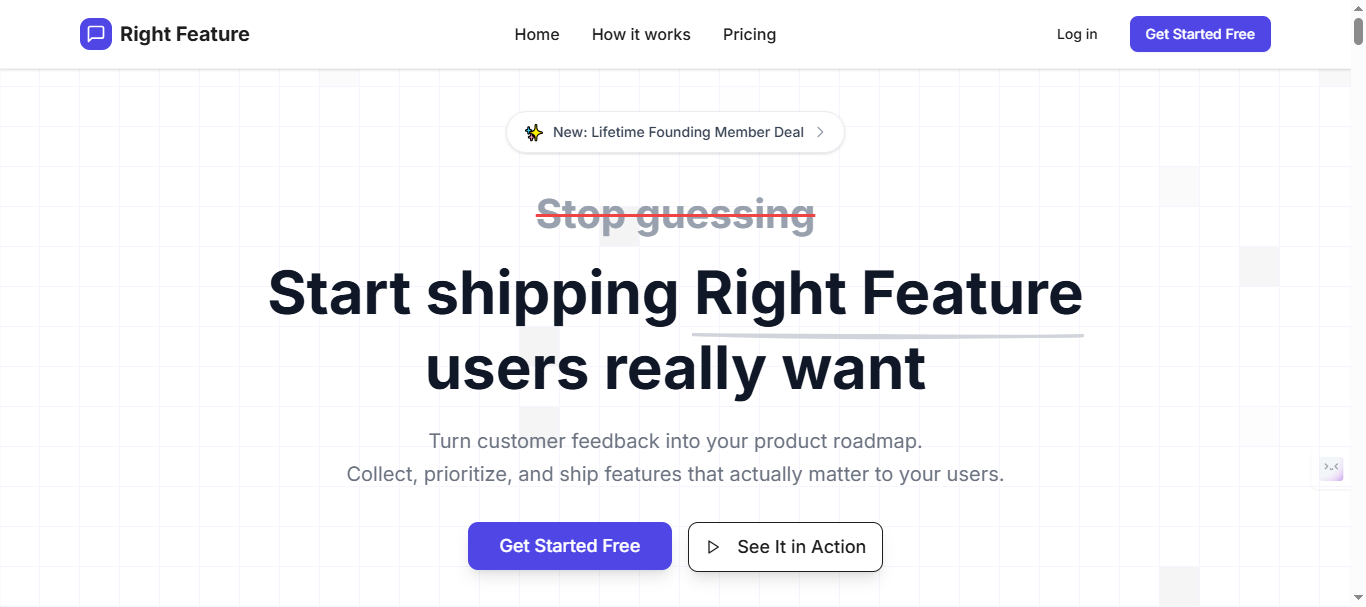
RightFeature is a customer feedback and feature request platform designed specifically for SaaS product teams, offering public boards, auto-updating roadmaps, and changelog—all powered by comprehensive AI automation. Unlike legacy tools that tax customer engagement through tracked-user pricing, RightFeature provides unlimited users on every plan including the free tier, making it the smart choice for startups and scaling teams that want predictable costs as they grow.
Key Features That Stand Out
Comprehensive AI automation suite
RightFeature delivers five AI-powered capabilities that save product managers 5-10 hours weekly compared to manual workflows:
- AI post tagging automatically categorizes feedback by feature area, priority level, and topic without manual intervention
- AI summaries condense 20+ comment threads into 2-3 sentence insights in seconds
- AI priority suggestions analyze feedback based on user impact, frequency, and strategic alignment to surface high-value requests
- AI visibility detection identifies which posts need immediate attention versus background processing
- AI-powered duplicate detection merges similar requests automatically while preserving votes, comments, and context
No other Canny alternative offers this depth of AI automation at comparable price points.
Unlimited users on all plans—forever
Every RightFeature plan supports unlimited users from day one, including the free tier. Teams that migrated from Canny’s 25-user free plan or $661/month Pro tier (1,000 users) report immediate cost savings of 60-90% while gaining better features.
One-click Canny migration with zero data loss
RightFeature provides the only automated Canny migration tool that preserves:
- All feedback boards and custom configurations
- Posts with full text, formatting, and attachments
- Vote counts and engagement history
- Comment threads with user attribution
- Images and file uploads
- User accounts and permissions
The migration process takes 10-15 minutes versus 3-5 hours for manual CSV exports. Personal migration assistance ensures smooth cutover with zero downtime.
Auto-updating roadmap that reflects reality
When feedback status changes from “Under Review” to “Planned” to “In Progress” to “Shipped,” RightFeature automatically updates the public roadmap without PM intervention. Canny requires manual roadmap updates, creating version control nightmares where internal status contradicts public communications.
Modern widget embedding options
RightFeature supports three embedding modes that Canny lacks:
- Floating button widget that stays visible across your SaaS without disrupting UX
- Full-page embed for dedicated feedback portals
- Auto-login from your SaaS so users submit feedback without creating separate accounts, reducing friction and spam
The auto-login feature works on the free plan, while Canny includes it only on paid tiers.
Global search across all boards
RightFeature provides instant search across every feedback board simultaneously—a critical capability Canny completely lacks. Product managers waste 20-30 minutes daily hunting for related feedback scattered across multiple boards without global search.
30-second setup time
From signup to live feedback board takes under 60 seconds with pre-configured templates, zero-code widget embedding, and automatic brand styling. Legacy tools require hours of configuration and custom CSS work.
Pricing That Scales With You
RightFeature uses feature-based pricing instead of punishing customer engagement:
- Free forever plan: Unlimited users, public boards, core feedback features, auto-updating roadmap, AI capabilities
- Paid plans: Based on features you need (advanced analytics, private boards, integrations), not user count
Note: Visit Rightfeature pricing page for current monthly tier pricing. Pricing typically starts significantly below Canny’s $24-661/month range for equivalent features.
The unlimited-user model means your costs remain predictable as engagement grows—eliminating budget surprises when customers actively participate.
Pros and Cons
Pros:
- AI automation saves 5-10 hours weekly through auto-tagging, summaries, and duplicate detection that Canny completely lacks
- Unlimited users make it startup-friendly with no engagement penalties as you scale
- One-click Canny migration preserves all data with personal assistance, saving 3-5 hours versus manual CSV exports
- Modern, intuitive interface built for 2026 workflows instead of 2015 patterns
- Auto-updating roadmap eliminates manual sync work between internal status and public communications
- Global search finds feedback across all boards instantly
- Fast 30-second setup with pre-built templates and zero-code embedding
Cons:
- Fewer third-party integrations than Canny’s mature ecosystem (no Slack, Jira, Zapier, webhooks, or REST API yet)
- Some features “coming soon” including private boards, email digests, merged posts, and notification preferences
- Smaller user base means less community-generated content like templates and best practices compared to established tools
Teams heavily invested in Slack-to-Jira workflows may need to wait for integration releases, but most SaaS teams find the AI automation and cost savings outweigh integration gaps.
What Users Say
Note: RightFeature is a newer platform building its review presence. For the most current testimonials, check their website or request case studies directly.
Teams migrating from Canny consistently highlight:
- Migration ease: “The one-click migration brought over all our Canny data in minutes, not days. Zero customer disruption.”
- AI time savings: “AI tagging alone saves me 4-5 hours every week that I used to spend categorizing feedback manually.”
- Cost relief: “We were paying $400/month on Canny for 600 users. RightFeature’s unlimited model dropped our costs 75% while giving us better AI features.”
- Engagement lift: “Unlimited users meant we could finally invite our entire customer base. Feedback volume tripled in the first month.”
Data-Driven Results
Teams using RightFeature report measurable improvements over manual feedback tools:
- 40-60% reduction in time spent triaging and categorizing feedback after enabling AI automation
- 70% fewer duplicate submissions thanks to AI-powered duplicate detection
- 3x increase in user participation after removing tracked-user limits
- 10-15 minute migration time from Canny versus 3-5 hours for manual CSV workflows
Note: Request specific customer success metrics from RightFeature for more detailed case studies.
See RightFeature in Action
RightFeature’s public feedback board showcases the platform in real use, including AI-written changelogs and feature roadmap. The board demonstrates how customers submit feedback, vote on features, and track progress through shipped status—all with the modern UI and auto-updating capabilities discussed above.
For teams ready to migrate from Canny, RightFeature offers the smoothest transition path with automated data import, personal assistance, and immediate access to AI features that legacy tools lack.
2. Featurebase – Modern Feedback and Support Platform
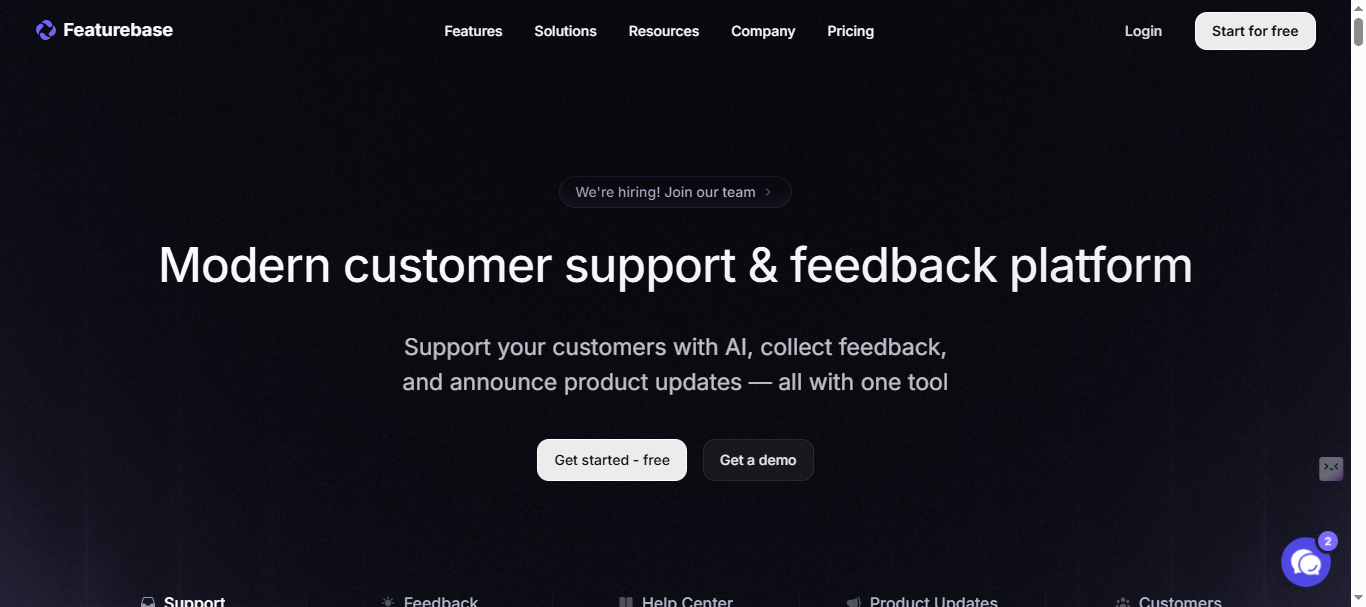
Featurebase combines customer support, feedback collection, help documentation, roadmaps, and changelogs in a modern interface built for fast-growing SaaS teams. Unlike tools focused solely on feature requests, Featurebase positions itself as a complete support and product suite where feedback, help docs, and AI-powered support live under one roof.
Key Features
Comprehensive feedback management
Featurebase provides full feedback workflow capabilities:
- Public feedback boards with voting and commenting for customer submissions
- AI duplicate detection that automatically suggests similar feedback to reduce duplicate ideas
- Roadmaps showing users what’s planned and in progress
- Changelogs for announcing product updates and shipped features
- Automatic email updates notifying users when you start working on their upvoted requests
- Embeddable widget for collecting feedback directly in your app
AI-powered support capabilities
Featurebase differentiates itself with integrated support features:
- AI-powered support inbox for handling customer questions
- AI search summaries that summarize answers right in the search bar in seconds
- Knowledge base with public and private articles for self-serve support
- In-app surveys including NPS, CSAT, multi-choice, and text field formats with user targeting
- Multi-language support for global customer bases
Integration ecosystem
Featurebase connects with essential SaaS tools:
- Development: Jira, GitHub for syncing feedback to engineering workflows
- Communication: Slack, Intercom for team notifications and customer engagement
- Custom domain and branding for white-label experiences
Pricing Overview
Featurebase uses subscription-based pricing starting at $49/month for full features. The platform offers:
- Free plan: Limited features for small teams testing the platform
- Paid tiers: Starting at $49/month with no user limits
- Per-seat pricing for support inbox features at $29/seat
Unlike Canny’s tracked-user model, Featurebase provides unlimited users on feedback boards, though support inbox features use per-seat pricing.
Note: Please verify current pricing tiers and feature breakdown at featurebase.app/pricing
Pros and Cons
Pros:
- Modern, intuitive interface built for 2020s workflows rather than legacy patterns
- All-in-one platform combining feedback, support, help docs, and roadmaps in single tool
- Unlimited users on feedback boards without engagement-based pricing penalties
- AI duplicate detection reduces manual work merging similar requests
- Everything linked together creating single source of truth across feedback, support tickets, and documentation
- Strong documentation with SDK for flexible UI integration
- No user limits on core feedback features
Cons:
- Limited AI automation compared to RightFeature—only duplicate detection, no AI tagging, summaries, or priority suggestions
- No one-click Canny migration, requiring manual CSV exports and imports
- AI agent learning limitations—users report wanting AI to learn from past conversations automatically
- Support inbox uses per-seat pricing at $29/seat, adding costs for teams needing support features
- Smaller integration ecosystem than Canny’s 50+ connections
What Users Say
Real feedback from G2 reviews highlights both strengths and improvement areas:
Positive experiences:
“Great Platform. It’s amazing to have feature requests, customer support, knowledge-base and road maps in one. Everything is linked together and can be referenced which helps to have a single source of truth.”
“The documentation is also great and due to the SDK etc you’re quite flexible and can customize how you want to integrate it into your UI.”
Improvement requests:
“It’d be nice to have a feature where you could instruct the AI agent to learn from past conversations or to quickly create an internal knowledge article about how to solve a request. I’ve answered a few questions multiple times but sometimes you do not find the time to write a public polished KB article that the AI agent could then reference.”
Users appreciate the unified platform approach but want deeper AI capabilities beyond duplicate detection—exactly what RightFeature provides with AI tagging, summaries, and priority suggestions.
Who Should Choose Featurebase
Featurebase works best for:
- Teams consolidating feedback and support tools into single platform to reduce tool sprawl
- SaaS companies wanting knowledge base, surveys, and feedback in unified interface
- Organizations prioritizing modern UI over extensive third-party integrations
- Teams comfortable with manual migration from Canny via CSV exports
However, teams prioritizing AI automation (tagging, summaries, priority scoring), one-click Canny migration, and comprehensive automation should evaluate RightFeature’s deeper AI capabilities.
3. Rapidr – Feature Request Tracking for SaaS Product Teams
Purpose-Built for SaaS Feature Tracking
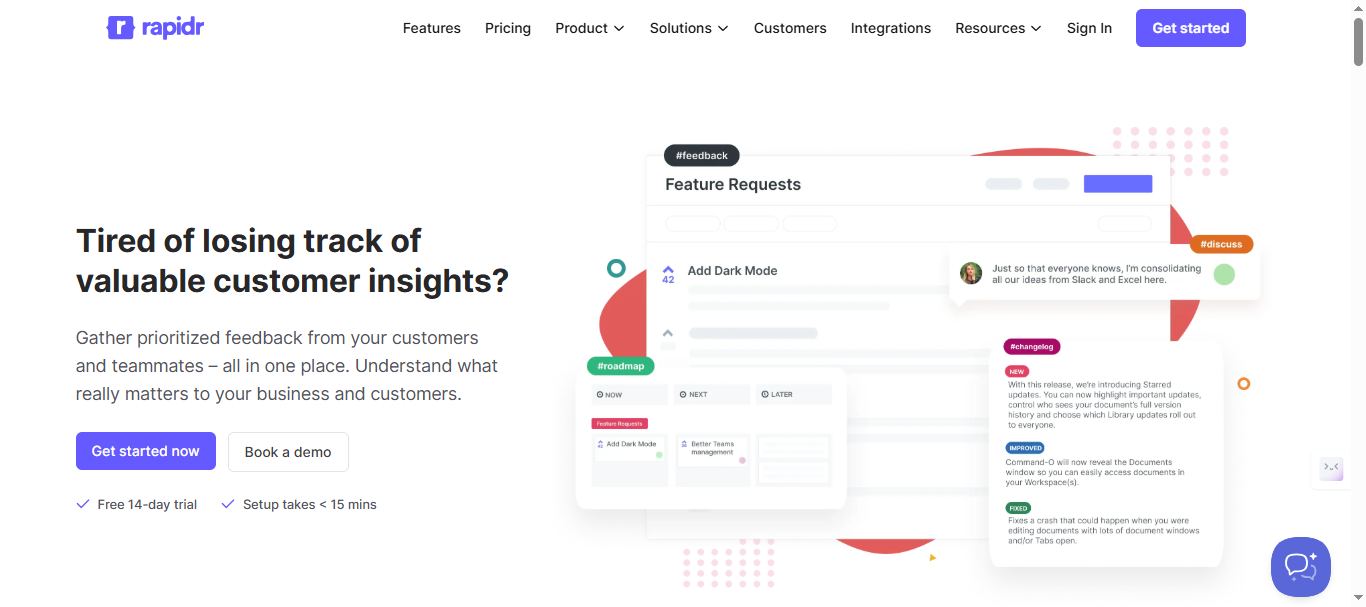
Rapidr is a customer feedback management tool designed specifically for SaaS product teams to collect, prioritize, and act on feature requests in one centralized platform. Positioning itself as an affordable Canny alternative, Rapidr focuses on delivering refined features for the complete feedback lifecycle—from ideation through roadmap to shipped releases—without the complexity of enterprise-heavy tools.
Key Features
Comprehensive feedback workflow
Rapidr provides essential feedback management capabilities:
- Feedback portal with public boards for customer submissions
- Voting system to prioritize features based on customer demand
- Comments and discussions on feature requests
- Confidential comments for internal team discussions
- Custom statuses to track feedback through your workflow
- Merge similar feedback to consolidate duplicate requests
- Identify similar feedback to prevent duplicates before they’re created
- Vote on behalf feature for adding customer feedback from other channels
- Private boards for internal-only feedback collection
Roadmap and changelog
Teams can communicate product direction and shipped features:
- Public roadmap showing planned, in-progress, and completed features
- Changelog for announcing product updates and releases
- Status updates automatically notify users when their requested features ship
Embedding and authentication
Rapidr supports in-app feedback collection:
- Embeddable widgets for collecting feedback within your SaaS product
- Single Sign-On (SAML & JWT) to seamlessly authenticate customers
- Google OAuth for easy user login
- Custom domain for white-label feedback portals
Integration capabilities
Rapidr connects with core development tools:
- Slack for team notifications
- Jira for syncing feedback to engineering tickets
- GitHub for linking feature requests to code repositories
- Intercom and Front for customer communication
- Zendesk and Salesforce (marked as “coming soon”)
Pricing Structure
Rapidr uses tiered subscription pricing with no per-user fees on feedback collection:
Startup Plan:
- 5 team members
- Unlimited feedback submissions
- Public boards with voting
- Roadmap and changelog
- Custom branding
- Email notifications
- Embeddable widgets
Business Plan:
- 50 team members
- Everything in Startup, plus:
- User segmentation
- Advanced integrations
- SAML & JWT Single Sign-On
- Priority support
- Concierge migration assistance
Enterprise Plan: Custom pricing
- Unlimited team members
- Product support
- Uptime SLA
- Dedicated account manager
Check out this link: rapidr.io/pricing/ for latest pricing structure.
Rapidr offers a 14-day free trial with no credit card required. Unlike Canny’s tracked-user model, Rapidr charges based on team size (admin seats) rather than customer engagement—making costs more predictable.
Pros and Cons
Pros:
- Affordable for small teams at $49/month for core features
- Simple, focused feature set without overwhelming complexity
- Easy setup with lightweight, customizable feedback portal
- Team member-based pricing instead of tracked-user model
- Concierge migration assistance on Business plan for switching from other tools
- Free 14-day trial to test before committing[3]
- Responsive support team that quickly resolves issues
Cons:
- No AI automation capabilities—no AI tagging, summaries, priority suggestions, or visibility detection like RightFeature
- Manual Canny migration requiring CSV exports even on Business plan (concierge migration assists but isn’t one-click automated)
- Team member limits create upgrade pressure (5 on Startup, 50 on Business) unlike RightFeature’s unlimited approach
- Limited integrations compared to Canny’s 50+ connections; Zendesk and Salesforce still “coming soon”
- No advanced analytics or user segmentation on Startup plan
- Fewer automation features than Canny or RightFeature
What Users Say
Real feedback from G2 reviews shows strong satisfaction with simplicity:
Positive experiences:
“I love how flexible Rapidr is. We use it to capture customer feedback, to capture internal team ideas, and to prioritize sprints. It was super easy to get up and running, and the very few times we’ve had an issue Rajat and the team quickly fixed it. We honestly use Rapidr many times a day, every day.”
“Rapidr is a simple tool and is very easy to set up. It is everything we need to prioritize our product roadmap based on feedback from users.”
“Best part of using Rapidr is that it involves our customers so they read/vote on ideas and comment which really brings a ton of value towards knowing what needs to be built next.”
Common themes:
Users consistently praise Rapidr’s ease of use and focused feature set that avoids overwhelming teams with unnecessary complexity. The lightweight feedback portal and quick setup make it attractive to teams frustrated by Canny’s heavier interface.
However, reviews don’t mention AI capabilities, suggesting teams using Rapidr handle tagging, prioritization, and duplicate detection manually—tasks that RightFeature automates with AI.
Who Should Choose Rapidr
Rapidr works best for:
- Small product teams (5-10 members) wanting affordable feature tracking at $49/month
- Teams prioritizing simplicity over advanced automation and AI capabilities
- Organizations preferring team-based pricing over tracked-user models
- Bootstrapped startups needing basic feedback, roadmap, and changelog without premium features
However, teams processing 100+ feedback submissions monthly will likely need AI automation to avoid manual tagging overhead that consumes 5-10 hours weekly. RightFeature’s AI capabilities and unlimited team members provide better scalability for growing SaaS products.
While Rapidr succeeds at simplifying Canny’s complexity, it lacks the AI automation that RightFeature provides—leaving manual work that modern teams expect tools to handle automatically.
4. Frill – Simple Feedback, Roadmap, and Announcements
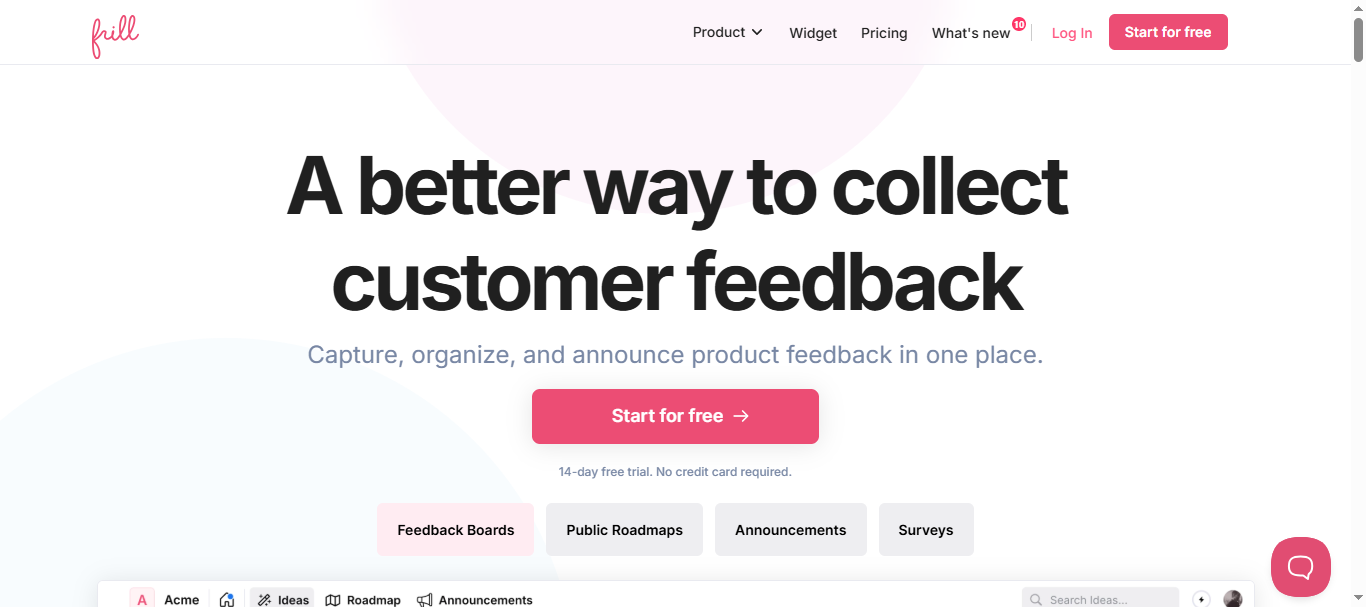
Frill offers a clean, straightforward tool that combines feedback boards, product roadmap, and announcement widgets ideal for SaaS teams prioritizing simplicity and design elegance. Positioning itself as an easy-to-use alternative to complex enterprise tools, Frill focuses on the essential trio of capturing ideas, planning roadmaps, and publishing announcements—all with modern UI/UX that users consistently praise.
Key Features
Feedback collection and organization
Frill provides streamlined feedback management:
- Ideas forum where customers and teammates submit feature suggestions
- Voting system to identify which features most users want
- Comments and discussions on submitted ideas
- Topic categorization to organize ideas by feature area
- Editable categories for customizing your feedback structure
- Idea polls to gather quick input on specific features
Product roadmap
Teams can visually communicate product plans:
- Stunning product roadmap that turns customer ideas into visual plans
- Roadmap widget embeddable on your website or product
- Micro Roadmaps for focused feature areas
- Timeline and ETA display showing when features will ship
- Show/Hide columns for customizing roadmap views
- Benefit and Cost scores customizable to business priorities, identifying Quick Wins vs Major Projects
Announcements and updates
Frill includes changelog capabilities for communicating shipped features:
- Announcements for notifying users about product updates
- Scheduled Announcements to time releases strategically
- Reactions for users to respond to announcements
- Boosted Announcements to highlight major releases
Surveys and feedback collection
Beyond feature requests, Frill supports proactive feedback gathering:
- NPS surveys to measure customer satisfaction
- CSAT surveys for specific feature feedback
- Open Feedback surveys for qualitative insights
- Quick Polls for rapid decision-making
Embedding and customization
Frill supports modern deployment options:
- Embeddable widget for collecting feedback within your SaaS
- Custom branding with your logo, colors, and domain
- Multi-language support for global customer bases
- Segmentation to target specific user groups
Pricing Structure
Frill uses modular tier-based pricing starting at $25/month:
Startup Plan:
- 50 active ideas (limit)
- 1 survey
- Core feedback, roadmap, and announcement features
- Basic customization
Business Plan:
- Unlimited ideas
- 3 surveys
- Enhanced control and customization
Growth Plan:
- Unlimited surveys
- White labeling included
- Privacy controls included
Enterprise Plan:
- Dedicated support
- SOC2 compliance
- Custom terms and contracts
Please check out this link: frill.co/pricing for the latest pricing of the plans.
Important note: Lower-tier plans require add-on purchases for advanced features like surveys, privacy controls, and white labeling. Teams needing the full feature set may pay $75-100/month when adding necessary modules—significantly more than the advertised $25 base price.
Frill offers a 14-day free trial with no credit card required, and annual plans save one month (equivalent to ~8% discount).
Pros and Cons
Pros:
- Clean, polished UI consistently praised as best-in-class for feedback tools
- Easy setup taking minutes rather than hours to go live
- Interconnected features where ideas, roadmap, and announcements link seamlessly
- Unlimited users on feedback collection without engagement-based pricing
- Fast-moving team shipping new features and improvements weekly
- Responsive support that helps resolve technical issues quickly
- Affordable entry price at $25/month for small teams testing feedback tools
- Web app and widget support both standalone and embedded deployment
Cons:
- No AI automation—no AI tagging, summaries, priority suggestions, or duplicate detection like RightFeature
- Idea limits on Startup plan (50 active ideas) force upgrades for growing teams
- Add-on costs pile up when needing surveys, white labeling, or privacy controls on lower tiers
- Manual Canny migration requiring CSV exports and manual data cleanup
- No API available for custom integrations or automation
- Email-only support on lower tiers, which some users find slow
- No comment pre-approval option—all comments publish immediately without moderation ability
- Limited integrations compared to Canny or Featurebase
What Users Say
Real feedback from Capterra reviews highlights both strengths and limitations:
Positive experiences:
“I was looking for a tool to collect feedback from customers at an affordable price, Frill helped me solve all of that for a great price.”
“Very clean user interface and clear-cut user experience. No confusion when using the dashboard or unnecessary jargons that complicates things. Very smooth experience using Frill. I particularly like the interconnection between ideas, roadmap and announcements, and the team has been moving fast in building new features and improving existing functions.”
Common concerns:
“No option to disable comments and only have votes. Or at least pre-approved comments would be so helpful.”
“Support only via email, which was slow. No chat support. Kept asking me to send in screen recording instead of checking through the backend.”
“The pricing packages could either include a little more or be at a lower price point.”
Users love Frill’s design and simplicity but note missing AI capabilities and pricing complexities when add-ons are required.
Who Should Choose Frill
Frill works best for:
- Design-conscious teams prioritizing beautiful UI/UX over advanced automation
- Small startups with under 50 active feature requests fitting the Startup plan
- Teams wanting interconnected feedback, roadmap, and announcements in a single simple tool
- Budget-conscious teams comfortable with 50 idea limits and no survey/white labeling needs
However, teams processing 100+ feedback submissions monthly will miss AI automation that saves 5-10 hours weekly on manual tagging and prioritization. The 50-idea limit on Startup plans forces upgrades to $49-149/month as feedback volume grows.
5. Userjot – Unlimited Users with Modern Design
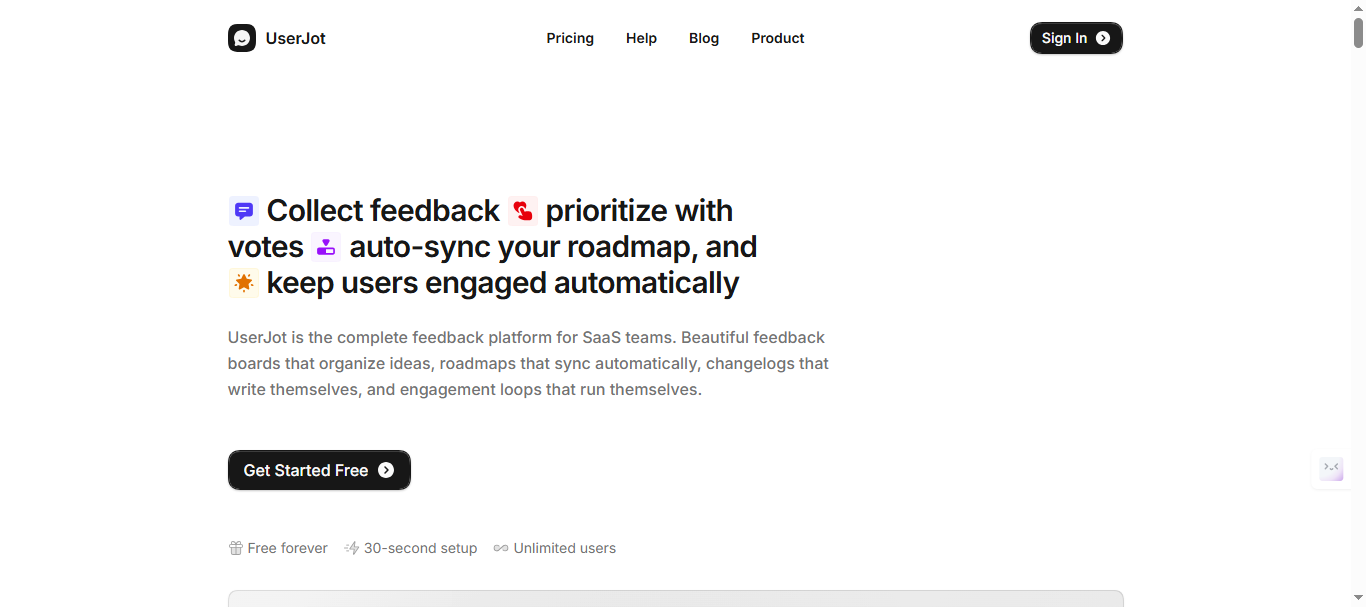
Userjot is a customer feedback management platform designed for SaaS companies that centralizes feedback, roadmaps, and changelogs with unlimited users on every plan—including the free tier. Built by a bootstrapped team focused on sustainable growth rather than VC-driven revenue targets, Userjot offers transparent pricing that doesn’t punish customer engagement.
Key Features
Complete feedback workflow
Userjot provides comprehensive feedback management capabilities:
- Unlimited posts and users on all plans including free tier
- Feedback boards with public and private options
- Upvoting system where popular requests rise to the top automatically
- Comments and discussions on feature requests[6]
- Guest posting for anonymous submissions or users without accounts
- Automatic duplicate detection that merges similar feedback
- Advanced search to find feedback across boards (Professional plan)
Auto-updating roadmap
Userjot automatically syncs roadmap status when feedback moves through workflow stages:
- Live roadmap that updates automatically when post status changes
- Timeline view (clearer than Canny’s Kanban-only approach)
- Status tracking from “Under Review” to “Planned” to “In Progress” to “Shipped”
- Public visibility so users see their requests progressing
Integrated changelog
Teams can announce shipped features and automatically notify engaged users:
- Changelog posts for product updates
- Automatic user notifications when their upvoted features ship
- Email engagement loop that closes the feedback-to-launch cycle
Modern embedding and customization
Userjot provides flexible deployment options:
- Embeddable widget that feels native to your SaaS
- Automatic login from your app (available on Starter plan+)
- Custom domain for white-label experiences (Starter plan+)
- Public identity masking for privacy-conscious feedback (Professional plan)
- Single Sign-On (SSO) support (Professional plan)
- Dark mode widget for modern app experiences
30-second setup
Userjot emphasizes speed to value with pre-configured templates and zero-code embedding.
Pricing Structure
Userjot uses simple tier-based pricing with unlimited users on every plan:
Free Plan: $0/month forever
- Unlimited posts
- Unlimited users
- 3 admin roles
- 2 feedback boards
- Roadmap
- Changelog
Starter Plan:
- Custom domain
- Guest posting
- Automatic login
- 5 feedback boards
- Private boards
- One integration
Professional Plan:
- Unlimited boards
- Advanced search
- Single Sign-On
- Unlimited integrations
- Unlimited admin roles
- Public identity masking
Please refer to this link: userjot.com/#pricing for detailed information about pricing structure.
Pros and Cons
Pros:
- Unlimited users on all plans including the free tier, eliminating growth penalties
- Predictable flat-rate pricing based on features, not engagement levels
- Beautiful, modern UI that users consistently praise over Canny’s dated interface
- 30-second setup with intuitive onboarding
- One-click Canny migration with AI-powered data mapping taking under 5 minutes
- Auto-updating roadmap that syncs with feedback status changes
- Global search across all boards (Professional plan) vs. Canny’s category-only search
- Timeline roadmap view clearer than Kanban-only alternatives
- Bootstrapped team answering to customers, not investors demanding price increases
- Free forever plan with unlimited users vs. Canny’s 25-user limit
Cons:
- No AI automation features—no AI tagging, summaries, priority suggestions, or visibility detection like RightFeature
- Limited integrations on Starter plan (only 1 integration)
- Advanced search requires Professional plan
- Smaller feature set compared to Canny’s enterprise automations and custom roles
- Newer platform with smaller user base and fewer community resources than established tools
- No REST API or webhooks for custom integrations
What Users Say
Real feedback from G2 reviews:
Positive experiences:
“Userjot is focused on the essentials and absolutely delivers in regards to UI/UX and performance. Support is super friendly and always quick to fix issues.” - G2
Real-world case study:
One growing SaaS team added Userjot’s feedback widget inside their dashboard. Within two weeks, one submission rose to the top: improve the onboarding flow. They tagged the feedback, moved it to “Planned” (updating the roadmap automatically), shipped the feature, and posted a changelog that automatically notified every user who voted or commented. Result: noticeable boost in activation metrics and direct user replies thanking the team for listening.
Who Should Choose Userjot
Userjot works best for:
- Teams frustrated by Canny’s tracked-user pricing wanting predictable costs as engagement grows
- Bootstrapped startups needing unlimited users on free or low-cost plans ($0-29/month)
- Design-conscious teams prioritizing modern UI over legacy interfaces
- Small to mid-size SaaS products not requiring enterprise automations or extensive integrations
- Teams wanting fast setup with 30-second deployment vs. days of configuration
However, teams processing 100+ feedback submissions monthly and needing AI automation to avoid 5-10 hours of manual tagging work should compare Userjot to RightFeature’s comprehensive AI capabilities. While Userjot solves Canny’s pricing problem, it doesn’t provide AI tagging, summaries, priority suggestions, or visibility detection that modern teams increasingly expect.
One-Click Canny Migration
Userjot provides automated migration that takes under 5 minutes:
- Export your data from Canny
- Upload to Userjot’s migration tool
- AI automatically maps boards, feedback, votes, comments, and users
- Personal migration assistance available if needed
This saves 3-5 hours compared to manual CSV cleanup and import processes.
The free plan provides genuine value for small teams, not a limited trial forcing quick upgrades.
Making Your Decision: Which Canny Alternative Is Right for You?
Choosing the right feedback tool depends on your team size, budget, technical requirements, and whether you prioritize AI automation over manual workflows.
Choose RightFeature if you need:
- Comprehensive AI automation that saves 5-10 hours weekly through auto-tagging, summaries, priority suggestions, and duplicate detection
- Unlimited users on all plans with predictable flat-rate pricing as you scale
- One-click Canny migration with personal assistance preserving all data
- Global search across all boards instantly
- Auto-updating roadmap that syncs with feedback status changes
- 30-second setup with modern embedding options
Best for: SaaS teams processing 100+ feedback submissions monthly who need AI to eliminate manual triage work.
Choose Featurebase if you need:
- All-in-one platform combining feedback, support, help docs, and roadmap
- Modern UI without extensive AI automation requirements
- Starting at $49/month with unlimited users on feedback boards
Best for: Teams consolidating multiple tools into single platform for feedback and support.
Choose Rapidr if you need:
- Simple, affordable feature tracking at $49/month for small teams
- Team-based pricing (5-50 seats) instead of user engagement models
- Lightweight workflows without AI complexity
Best for: Small product teams (under 10 members) prioritizing simplicity over automation.
Choose Frill if you need:
- Best-in-class design for customer-facing feedback portals
- Starting at $25/month for teams with under 50 active ideas
- Interconnected ideas, roadmap, and announcements in clean interface
Best for: Design-conscious startups with low feedback volume who don’t need AI automation.
Choose Userjot if you need:
- Unlimited users at $29-59/month flat rate vs. Canny’s tracked-user pricing
- Modern UI that feels native to your SaaS
- Free forever plan with genuine unlimited users
- One-click Canny migration with AI-powered data mapping
Best for: Bootstrapped SaaS teams frustrated by Canny’s pricing who don’t require advanced AI.
Conclusion
For most SaaS teams in 2026, RightFeature delivers the best combination of value, AI automation, and predictable pricing. Teams save 5-10 hours weekly through AI that automatically tags, summarizes, and prioritizes feedback—work that other tools force you to do manually. The unlimited-user model eliminates budget anxiety as customer engagement grows, and one-click Canny migration makes switching painless.
Canny remains relevant only for enterprise organizations with complex integration requirements and budgets exceeding $1,000/month. For everyone else, modern alternatives offer better features at 60-90% lower costs.
Start with RightFeature’s free forever plan, test the AI automation that sets it apart, and experience how modern feedback tools should work in 2026. Your product team will thank you for those 10 hours back every week.
Ready to build products users love?
Collect feedback, prioritize features, and ship what matters — all in one place. Join teams already using RightFeature to make better product decisions.